

Web Application Penetration Testing: Find the Weaknesses Attackers Could Use
Understand how flaws in authentication, access control, business logic, sessions, and data handling could expose customer accounts, sensitive information, and critical workflows—then give your team clear evidence to fix them.
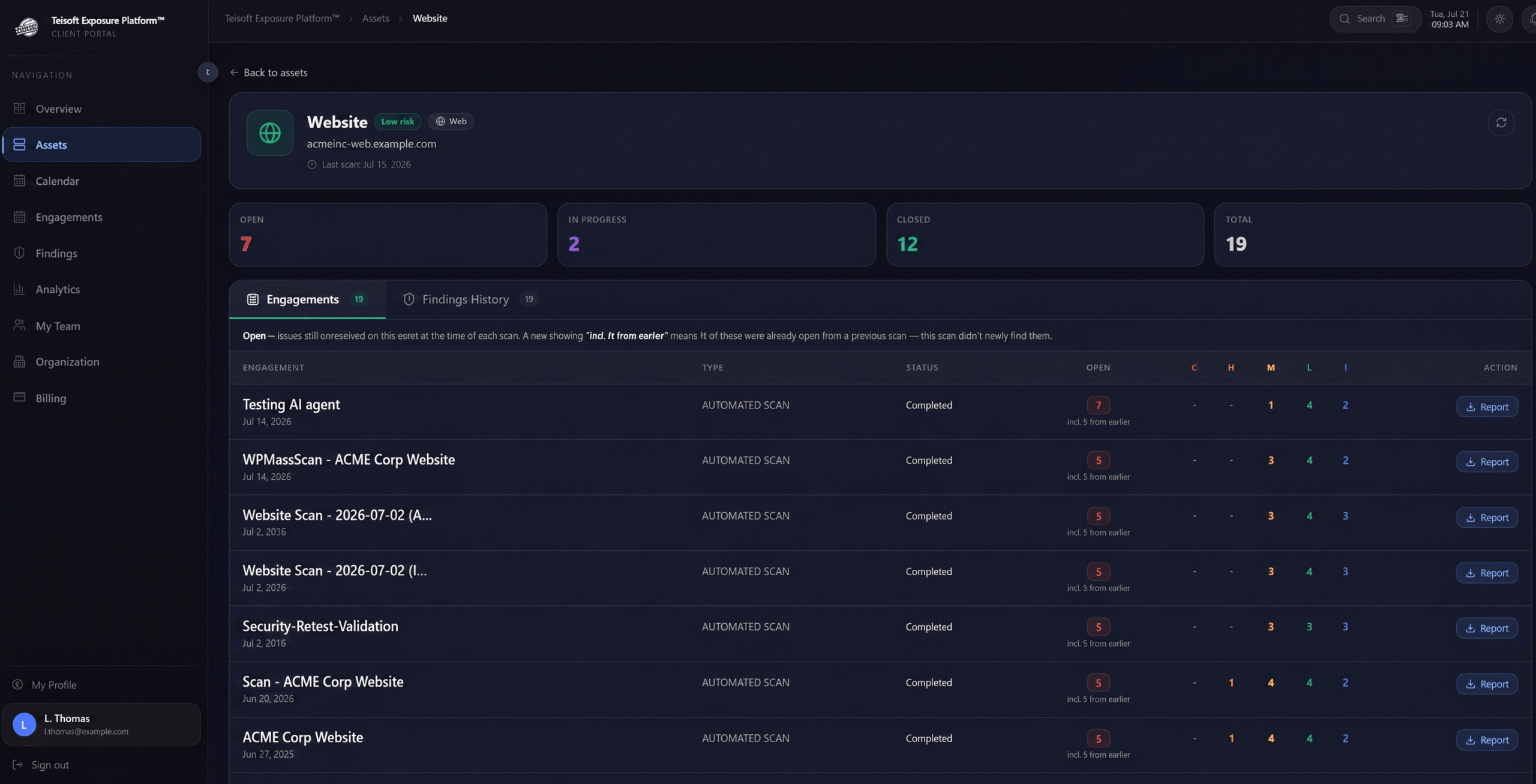
Web Application Penetration Testing
Web Application Penetration Testing examines how an authorized attacker could interact with the application, manipulate its intended behavior, cross access boundaries, and combine weaknesses to reach sensitive data or critical functionality.
Teisoft combines automated discovery with manual testing, application context, and professional judgment to evaluate the security of customer portals, SaaS platforms, administrative systems, e-commerce applications, business applications, and other supported web environments.
Every engagement is performed within an approved scope and documented rules of engagement designed to protect production systems and minimize unnecessary disruption.
Designed to Test and Secure Web Applications
Authentication and Account Security
Evaluate login, registration, password recovery, multi-factor authentication, account verification, credential handling, and other identity workflows for paths that could enable unauthorized access.
Authorization and Access Control
Determine whether users can access data, records, functionality, administrative actions, or tenant resources beyond their intended permissions.
Business Logic and Workflow Abuse
Test whether legitimate functionality can be manipulated, bypassed, repeated, reordered, or combined to create unintended business or security outcomes.
Built Around the Workflows That Matter Most to Your Business
Sensitive Business Workflows
- Purchases and payments.
- Orders and reservations.
- Approvals and authorizations.
- Subscription changes.
- Financial or operational transactions.
- Discounts and promotional logic.
- User invitations.
- Document approvals.
- Data exports.
- Privileged administrative actions.
Data and File Handling
- File uploads and downloads.
- Document access.
- Search and filtering.
- Data exports.
- Sensitive records.
- Application-generated reports.
- User-supplied content.
- Data validation.
- Error messages.
- Debug information.
Administrative and Integrated Functionality
- Administrative portals.
- Support functionality.
- Internal dashboards.
- Partner access.
- Third-party integrations.
- Webhooks.
- Application APIs.
- Background processes.
- Service accounts.
- Management interfaces.
Why Web Applications Require Human-Led Testing
Business Rules Are Unique
Automated tools do not know which users should approve, access, modify, or complete a specific business action.
Authorization Requires Multiple Perspectives
Testing access control often requires comparing behavior across users, roles, tenants, records, and application states.
Multi-Step Attacks Require Reasoning
Attack paths may depend on combining several functions or weaknesses in a specific sequence.
Application Context Changes Severity
The same technical condition can have very different consequences depending on the affected data and workflow.
Test at the Moments When Application Risk Changes
Before a Major Release
Identify exploitable weaknesses before new functionality, sensitive workflows, or architectural changes reach customers.
After Significant Application Changes
Reassess authentication, authorization, data access, integrations, or business logic after material modifications.
Before Customer or Audit Reviews
Provide documented independent testing to support security questionnaires, customer assurance, procurement, and applicable compliance requirements.
After a Security Incident
Determine whether affected functionality remains vulnerable and verify the corrective actions implemented after containment.
Before an Acquisition or Investment
Identify material application-security risks that could affect the value, operation, or integration of a business or technology asset.
As Part of a Continuous Testing Program
Reassess changing applications and high-risk workflows throughout the year rather than relying only on a point-in-time annual test.
FAQs
What does a web application penetration test evaluate?
Teisoft evaluates how an attacker could compromise the application, access sensitive information, abuse functionality, escalate privileges, or perform unauthorized actions.
Testing may cover authentication, session management, access controls, input handling, file uploads, application workflows, business logic, security configurations, and relevant server-side components.
Does Teisoft perform authenticated testing?
Yes. Teisoft can test both unauthenticated and authenticated areas of the application.
When appropriate, testing includes accounts with different roles and permission levels to determine whether users can access data or functionality beyond what their role should allow. This is especially important for customer portals, administrative interfaces, and applications that process sensitive information.
Can Teisoft identify business logic vulnerabilities?
Yes. Business logic vulnerabilities are a major focus of manual web application testing because they are often missed by automated scanners.
Examples include bypassing approval processes, manipulating transactions, abusing discount or account-recovery workflows, performing actions in an unintended sequence, or using legitimate functionality in a way that creates security or financial risk.
What types of web applications can Teisoft test?
Teisoft can assess custom web applications, customer and employee portals, e-commerce platforms, SaaS applications, content management systems, and other browser-accessible systems.
The test can also include relevant integrations, administrative interfaces, and supporting APIs when they are part of the authorized scope.
Can testing include multiple user roles or complex application workflows?
Yes. Applications can be tested using multiple accounts to evaluate how permissions and workflows behave across users, departments, customers, administrators, or other roles.
Teisoft works with your team to identify the most important workflows and access levels so testing reflects realistic application use rather than evaluating only public pages.
Should we test a staging environment or the production application?
Either option may be appropriate.
A production assessment provides the most accurate view of the live environment, while a representative staging environment may be preferable when testing could affect sensitive transactions or operational processes. Teisoft helps determine the most suitable environment based on application risk, technical similarity, and business requirements.
Find the Weaknesses Hidden Inside Your Application Workflows
Discuss Your Web Application Pentest
Assess your web application before a major release, customer launch, audit, acquisition, or security review.